

Products are selected by our editors, we may earn commission from links on this page.
Your Teams status is about to get a lot more specific. Microsoft is rolling out a feature that can tell your coworkers not just that you’re online, but which office building you’re physically sitting in right now. The company insists this isn’t surveillance. Employees and privacy advocates aren’t so sure, and the mechanics of how the feature actually works raise more questions than Microsoft’s statement answers.
This article was created with the assistance of AI and reviewed by our editorial team for accuracy and clarity.
Teams “Workplace Check-In” Builds on the Old Online Presence System
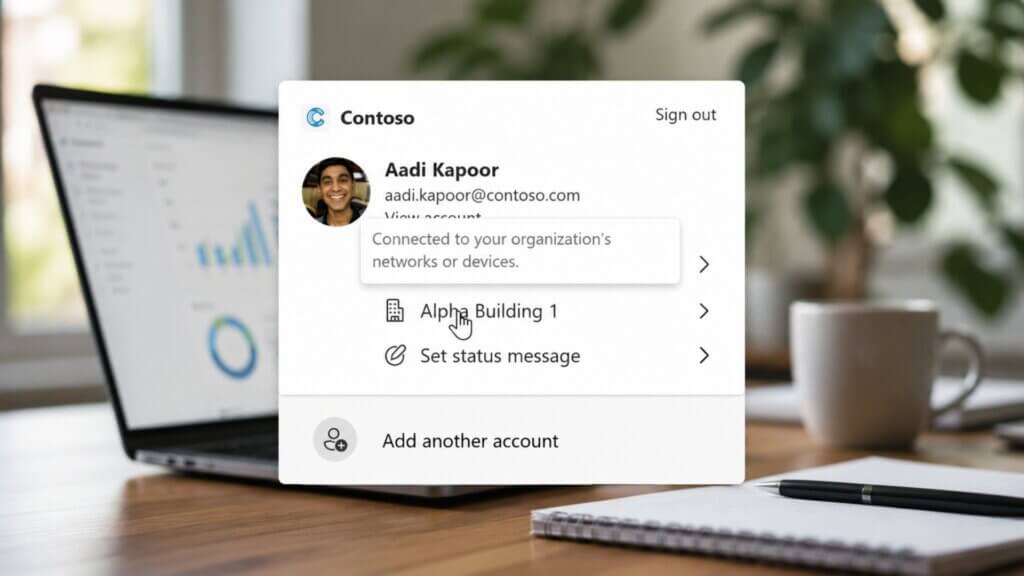
Teams has always shown whether you’re online, idle, or in a call. According to a document spotted by Windows Latest, Microsoft is now extending that system with “workplace check-in,” a feature that adds a third layer of information: your physical location. Unlike the existing presence indicator, this new signal doesn’t rely on you updating anything manually. It updates itself, based on signals your device sends without you touching a button.
Corporate Wi-Fi Is What Triggers the Automatic Location Update
The feature works by detecting whether your device has connected to your company’s corporate Wi-Fi network. It can also trigger through a registered desk peripheral, like a monitor, meaning you don’t necessarily need to be on Wi-Fi to be flagged as present. There’s no way to opt out simply by avoiding the office network if your desk hardware is already registered to a specific location.
A “Studio B” Screenshot Shows How Specific the Tracking Gets
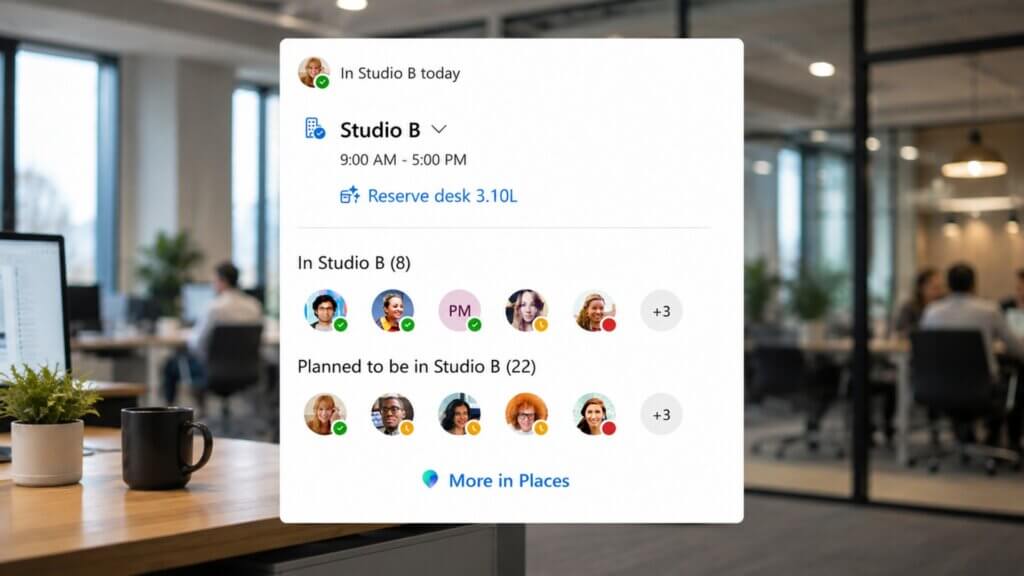
Windows Latest published a screenshot showing “Studio B” listed as a colleague’s current location, alongside names of other people who had planned to be in that building but hadn’t arrived yet. This isn’t a vague “in office” tag. Depending on how granular a company’s network is set up, Teams can single out a specific building by name, visible to anyone checking that person’s status inside the organization.
Microsoft Says “We Do Not Support Employee Surveillance in Any Way”

Facing early backlash, Microsoft issued a statement addressing the concerns directly. “Employee privacy is at the core of how we innovate and build,” the company said. “We do not support employee surveillance in any way.” The company frames the feature as a convenience tool, meant to save employees from manually updating their status every time they change locations. Critics point out that intent and outcome aren’t the same thing.
Three Data Points Now Combine Into One Status: Time, Availability, Location

Before this rollout, Teams tracked whether you were idle, online, or in a call. Now it layers in a third signal: physical location. The result is a combined status showing when you’re working, whether you’re free to talk, and where you’re doing it from. Microsoft describes this as simply “extending” presence. To employees, it can look less like a convenience feature and more like a live activity log.
Teams Won’t Show Your Desk, But It Updates More Often Than You’d Think

Microsoft has drawn a boundary: the feature stops at identifying a building, not a floor, room, or desk, and it isn’t a continuous tracker. Location updates only trigger on specific events, like connecting to a new Wi-Fi network, waking a device from sleep, or plugging into a registered peripheral. Still, Windows Latest notes that connecting after your set work hours won’t trigger an update, a detail that only some employees will know to check.
Admins Choose Between “Inform” Mode and “Ask” Mode, Not a Simple On/Off

Organizations rolling out the feature don’t get a blanket “enable for everyone” switch. They choose between two modes: “Inform,” which turns the feature on by default with an opt-out banner, or “Ask,” which requires employees to opt in themselves. Both sound like they preserve choice on paper. Whether that choice holds up depends entirely on how much pressure an employer decides to apply around it.
The Employee Who Opts Out Could Be the Only One Standing Out

Even with an opt-out button available, the feature creates a quieter kind of pressure. If everyone else on a team shares their location and one person doesn’t, that person becomes the visible exception. Windows Latest raises this exact concern, noting that standing out as the one holdout isn’t a position most employees would choose voluntarily, opt-out button or not.
The Banner Is Coming, Whether Your Office Wants It or Not

Workplace check-in is optional at the company level, not the individual level. Once an organization enables it, employees will see a banner in Teams announcing the change, with little say in whether it happens. Microsoft built real limits into the feature, no floor-level tracking, no continuous monitoring, but organizations control how it’s deployed. The tool itself isn’t surveillance. How a workplace chooses to use it is a separate question entirely, and one Microsoft can’t answer for them.